
PowerOLAP Add-in Compatibility Issue in Windows 11 heightened security Environment
Issue Overview:
In environments with heightened security settings, particularly on systems running Windows 11, Microsoft Excel may experience difficulties accessing the default location for the PowerOLAP Core add-in. This issue is commonly caused by restrictions in place for system files and folders, which prevent Excel from properly loading necessary components.
Solution:
We manually copied the required PowerOLAP Core files, including the Powercore.xll and other related add-in files, from the System32 directory to a new location C:\Program Files (x86)\PowerOLAP\x64 Add-in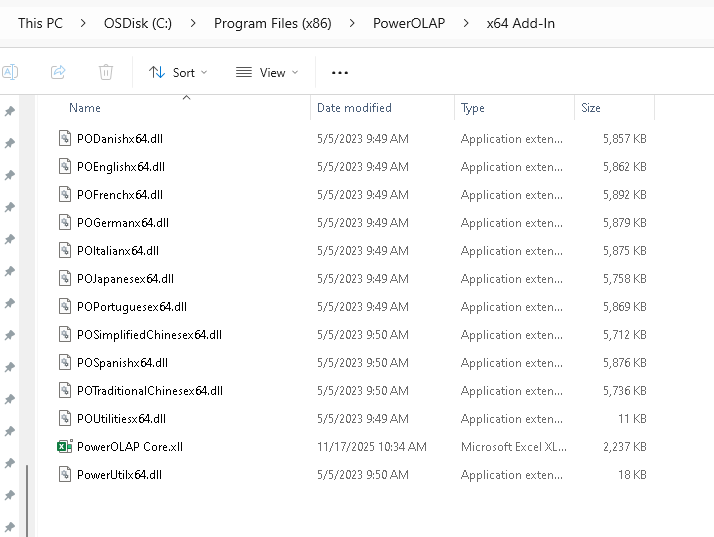
Once the files were relocated, we updated the Excel add-in settings to reference the new location of the PowerOLAP Core file. This ensured that Excel could successfully load and utilize the PowerOLAP Core add-in without issues.